Your Phone. Your SIM. Your SMS API.
SimGate is a developer tool that lets you send and receive SMS over API using any Android phone with a SIM card. Now it also lets you automate inbound SMS with rules, auto-replies, and webhooks. No per-message fees or third-party gateways. Just your device, full control, and a clean HTTP API.
Simple HTTP API • Inbound webhooks • SMS automations • No hidden SMS fees
The SMS content you send through SimGate is never stored in our databases.
Your message is relayed to your phone for delivery, not archived on our side.
Free to start • No credit card required
Send an SMS With a Single API Call
→
🌐 SimGate API
→
📱 Your Android Phone
→
SMS Sent
1curl -X POST https://api.simgate.app/v1/sms/send2-H "x-api-key: YOUR_API_KEY"3-H "Content-Type: application/json"4-d '{5"deviceId": "android-5q15b182f2704gbz",6"phoneNumber": "+1234567890",7"message": "Hello from SimGate API!"8}'
Connect your Android phone
Install the SimGate Gateway app, connect your device, and keep it online.
Send one API request
Your backend or frontend calls SimGate with the recipient and message.
Deliver through your SIM
Your phone sends the SMS through its own carrier connection and number.
Use SimGate from any backend, frontend, or automation script. No SDKs, no middlemen. Just a clean HTTP call and your message is delivered.
Send SMS from your own number
Call the SimGate API and your connected Android phone sends the SMS through its own SIM.
Receive SMS and trigger automation
When your device gets a new SMS, SimGate can auto-reply, deliver a webhook, and log what happened.
Turn inbound SMS into replies, webhooks, and follow-up actions
Build SMS rules directly inside SimGate. Match the messages you care about, reply from the same device, forward structured events to your backend, and review recent automation activity without wiring up a separate workflow tool.
Filter inbound SMS with simple rules
Trigger only on the messages that matter using text match, sender filters, and device selection.
Auto-reply from the same SIM
Send an SMS response back to the sender without routing through another provider or workflow tool.
Call your webhook and inspect every run
Fan matched messages out to your backend and review reply and webhook status from automation logs.
Inbound SMS
A message like "YES" reaches your Android device
Rule match
SimGate checks text, sender, and selected device conditions
Actions
Send an auto-reply, trigger your webhook, and record the result
Keyword opt-ins and confirmations
Lead routing and CRM sync
Support acknowledgements and auto-replies
Internal alerts pushed to your own backend
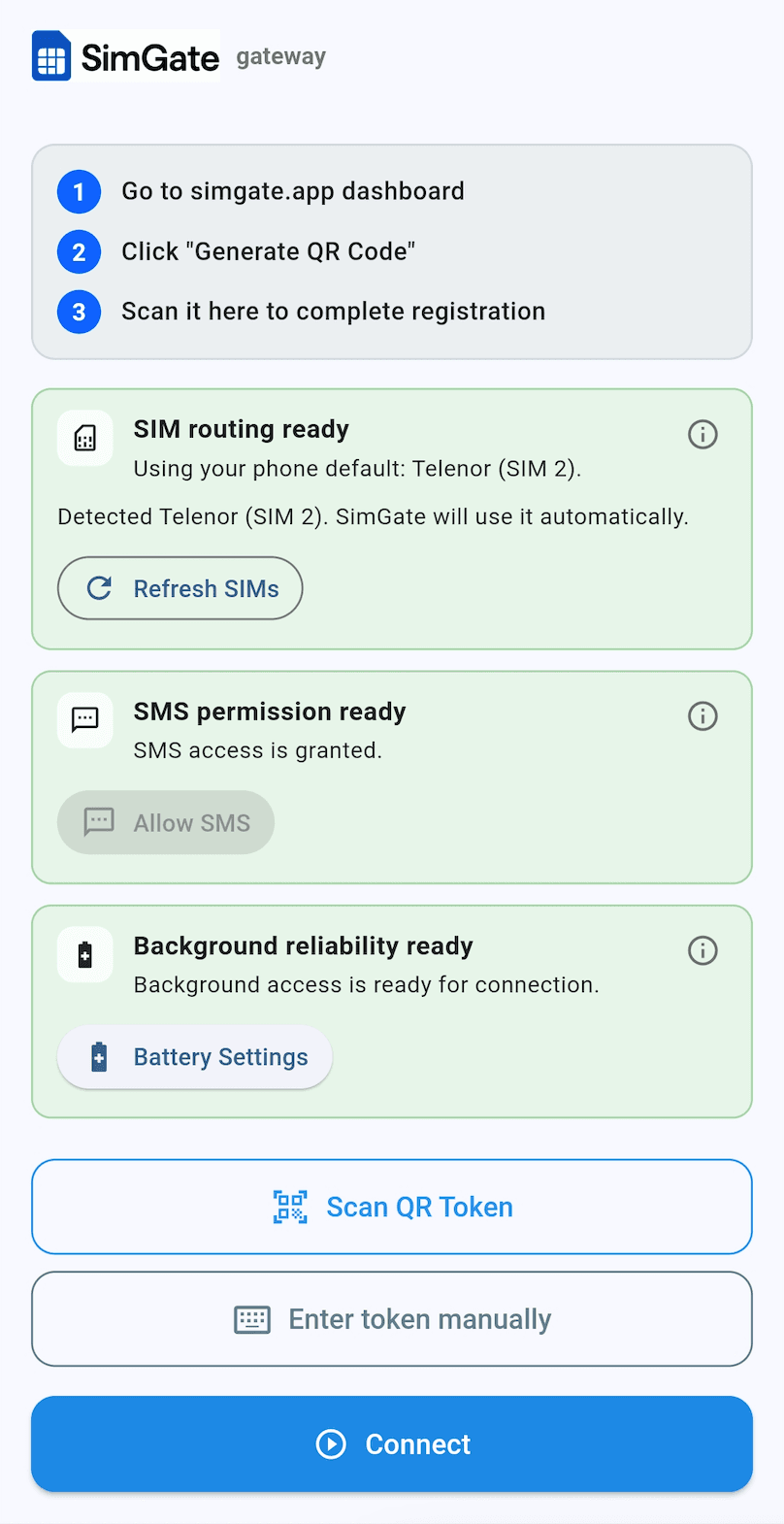
See SimGate in action
This is how the mobile gateway should look when it is healthy and ready to connect
After you install the SimGate Gateway Android app, this is the readiness screen you should see. When the app shows this state, the Connect button can be pressed to bring the device online.